Rule navigation and properties
View list of rules
This functionality allows you to view the list of existing rules and their basic properties, such as name, execution, status, context and definition.
To view the list of rules, you have to login to the tool and you are redirected to list of rules.
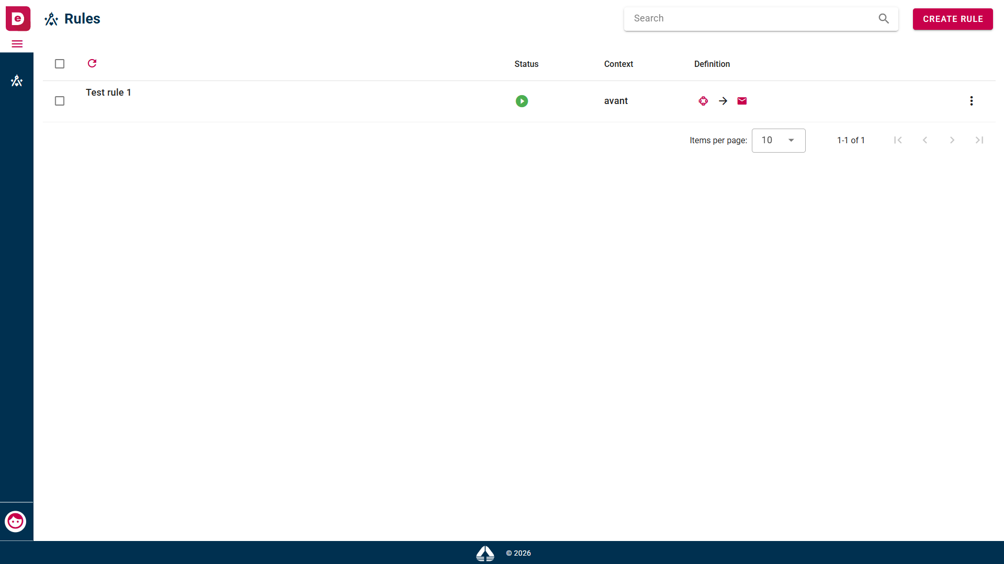 List of rules
At any moment, you can return to the full list of rules. To do it, click “Rules” in the header or click the ruler icon in the left sidebar. Both actions take you back to the rules list page.
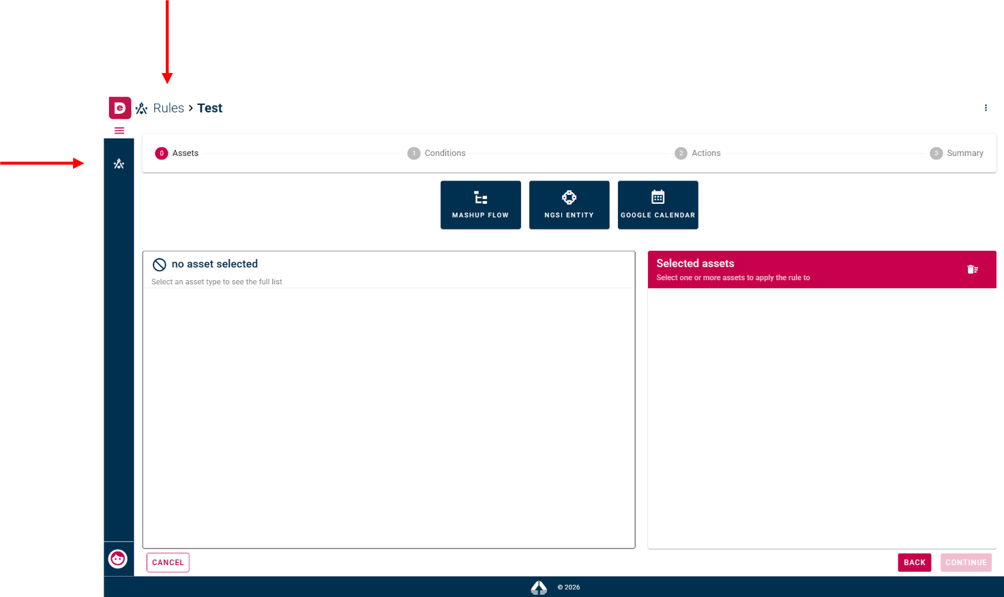 Buttons to view list of rules while user's
navigating the tool
Buttons to view list of rules while user's
navigating the tool
View details of rule
This functionality allows you to view the details of a rule and its properties, such as assets, conditions, implemented actions and logs.
To view details of rule, you click on rule name and the system shows you the summary of rule configuration. Here you can click on tab "Execution log" to open rule logs.
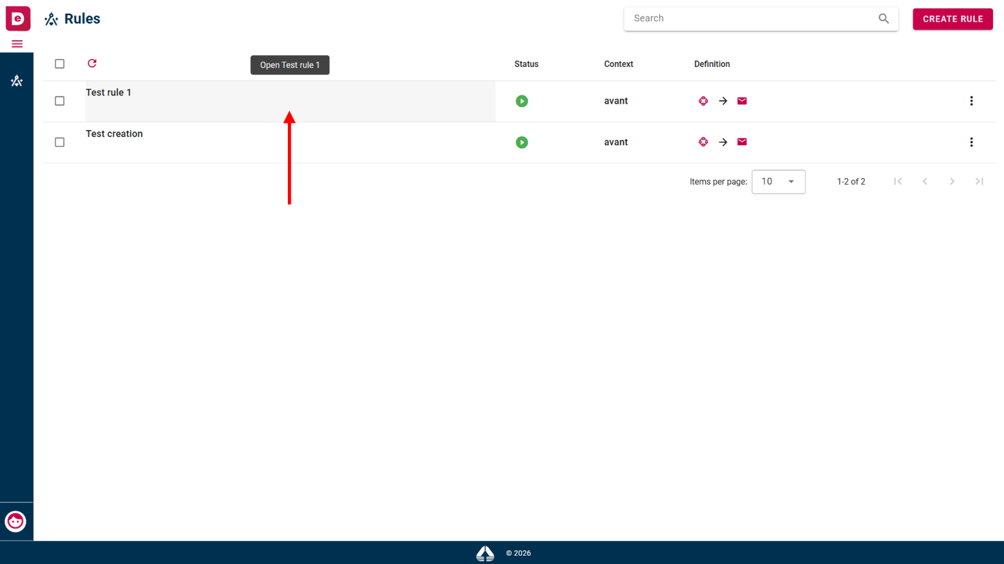 Details of rule
To view the details of every single step configuration of the rule, you click on a single step on the stepper line.
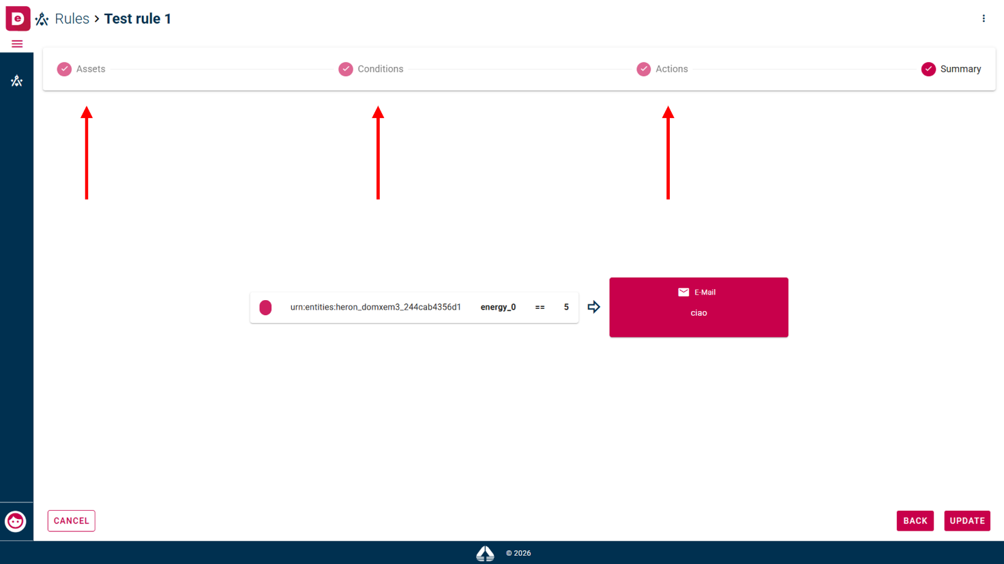 Details of rule
View logs of rule
This functionality allows you to view the logs of rule and its properties such as: timestamp, asset, value received, action and status.
To view logs of rule, you click on text box next to rule name and the system shows you logs and their deteils. Here you can filter by date and status.
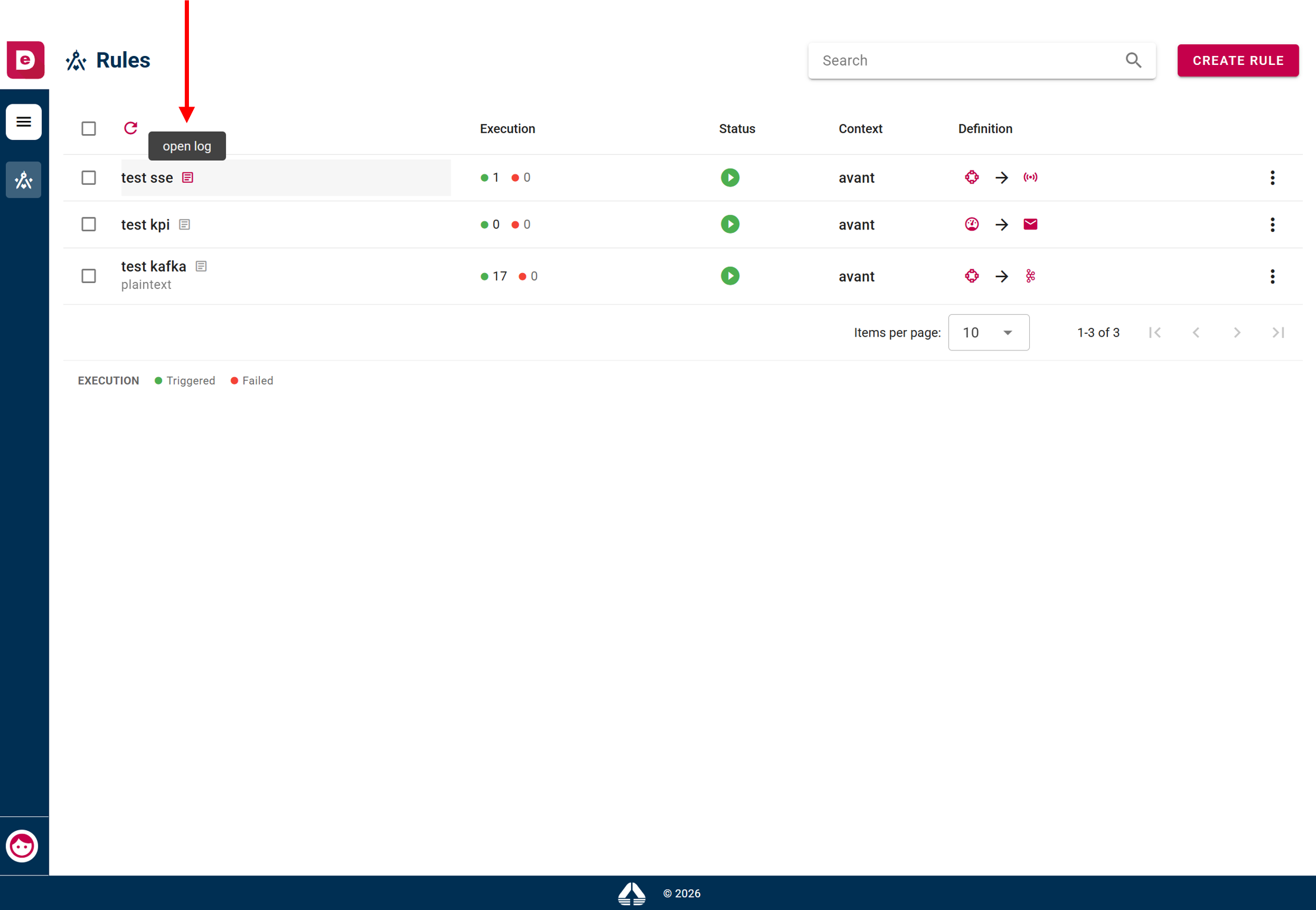 Logs of rule
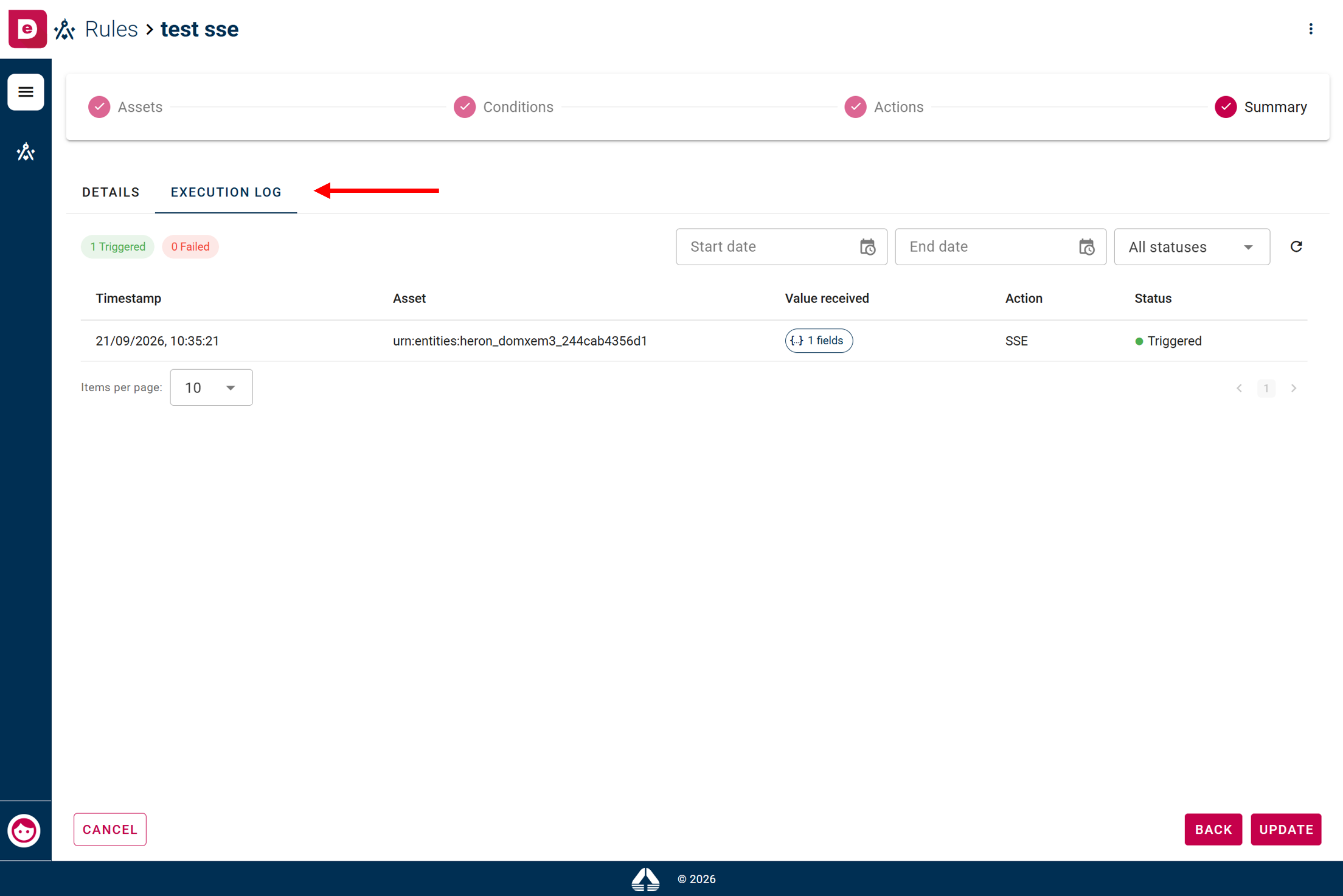 Logs of rule interface